
Read the handwriting, keep the data
Forms still arrive with handwriting in the boxes. Plustek AI recognizes the handwritten fields that matter, extracts them into structured data, and lets you review before it moves into your workflow.
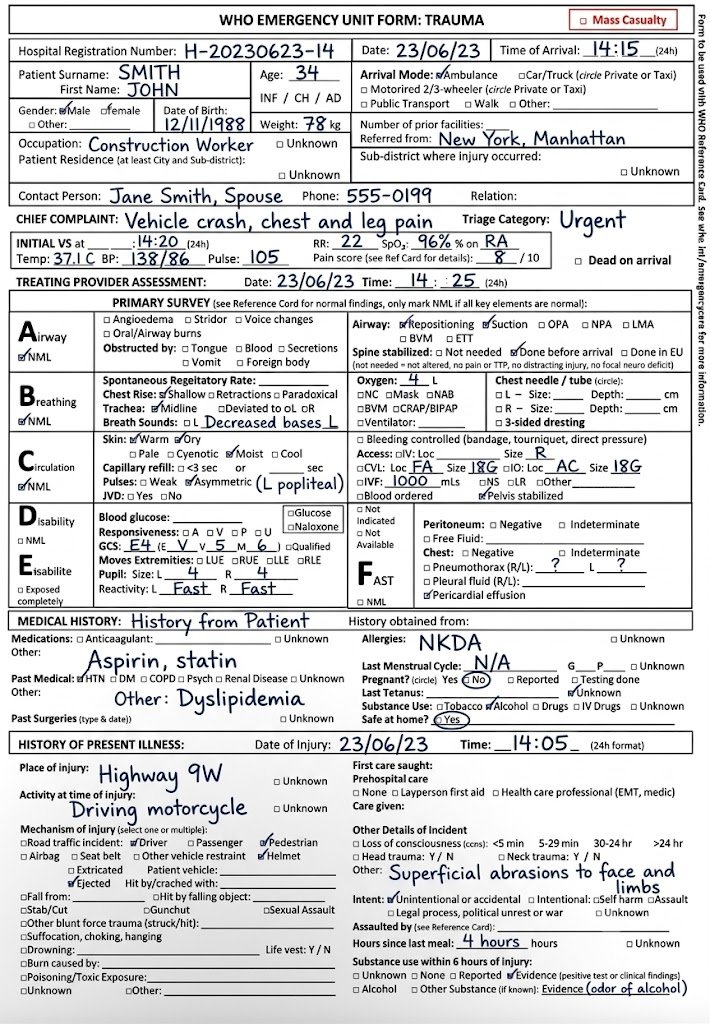
The parts of handwriting that break ordinary OCR
Traditional OCR expects clean, typed, templated text. Real forms don’t look like that - here’s what Plustek AI is built to handle.
Cursive & varied styles
No two hands are alike - read in context, not by matching a font.
Print + handwriting mixed
Typed labels and handwritten entries on the same page, told apart.
Ticks & checkboxes
Which box is marked, captured as a real value.
Amounts written as words
On checks, the words and figures are cross-checked against each other.
Crossed-out corrections
Struck-through edits are handled, and the final value flagged for review.
Low-confidence flags
Unclear fields are surfaced for a person to confirm - never guessed silently.
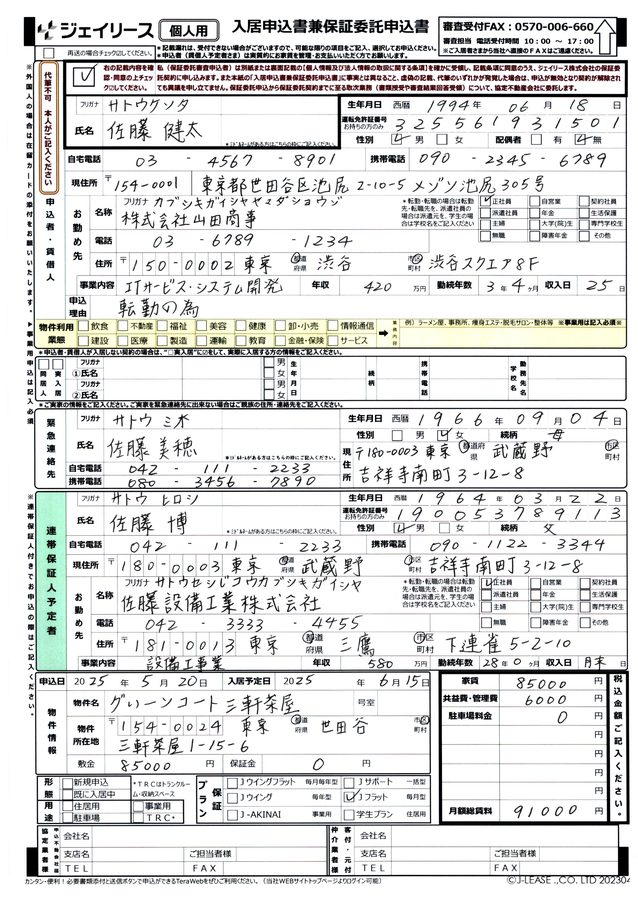
Pick a document, see the fields it pulls
Handwritten forms rarely arrive alone. Switch between the document types your team handles and see what Plustek AI extracts from each.
 123456
Handwritten form processing, answered
Can it read messy or cursive handwriting?
Plustek AI recognizes a wide range of handwriting styles in context rather than matching a single font. Any field it isn’t confident about is flagged so a person can check it before the data moves on.
Do our forms need a fixed template?
No. It reads the whole page and locates the fields that matter, so it works across forms that mix printed labels with handwritten entries - without a template for every layout.
What happens to fields it isn’t sure about?
Low-confidence fields are highlighted for review. Nothing is written into your system blindly - results stay reviewable first.
Test it on your own handwritten forms
Send us a sample form and the Plustek team will show you exactly which fields come out as data.