
Document AI that turns any document into data your business can act on
Hand it a document - even a handwritten one - and Plustek AI reads it, names it, classifies it and sends it into your system. No manual sorting.



*Typical SMB document workload. Actual results vary by volume and process.
From documents to workflow-ready data
From capture to output - Plustek AI recognizes the document, lets you review the extracted information, then names, organizes and prepares it for your existing systems.
No pre-sorting. No manual filing.
The AI does it end to end.
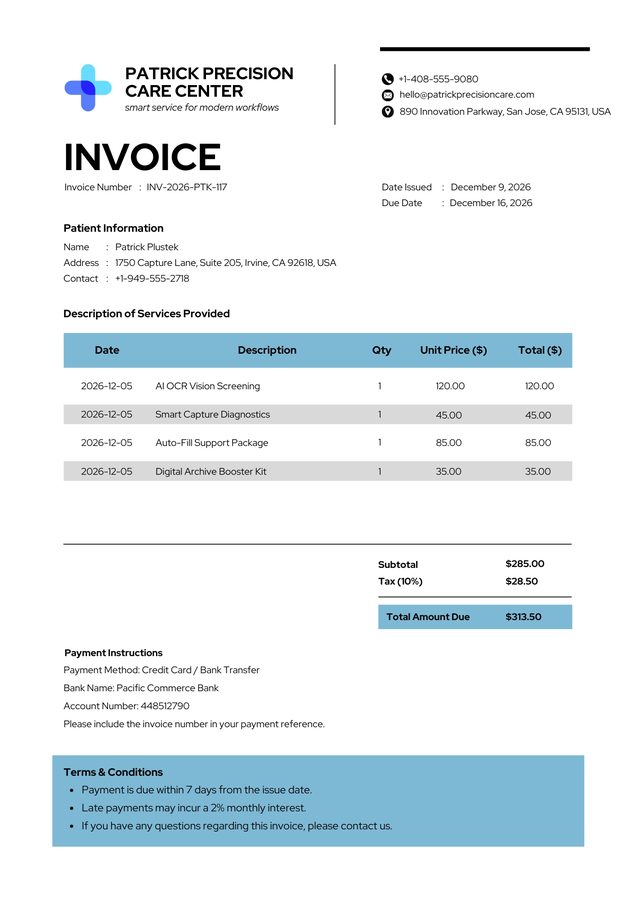
Built for the documents you actually handle
The document types Plustek AI is built around - recognized, extracted and made ready for your systems.
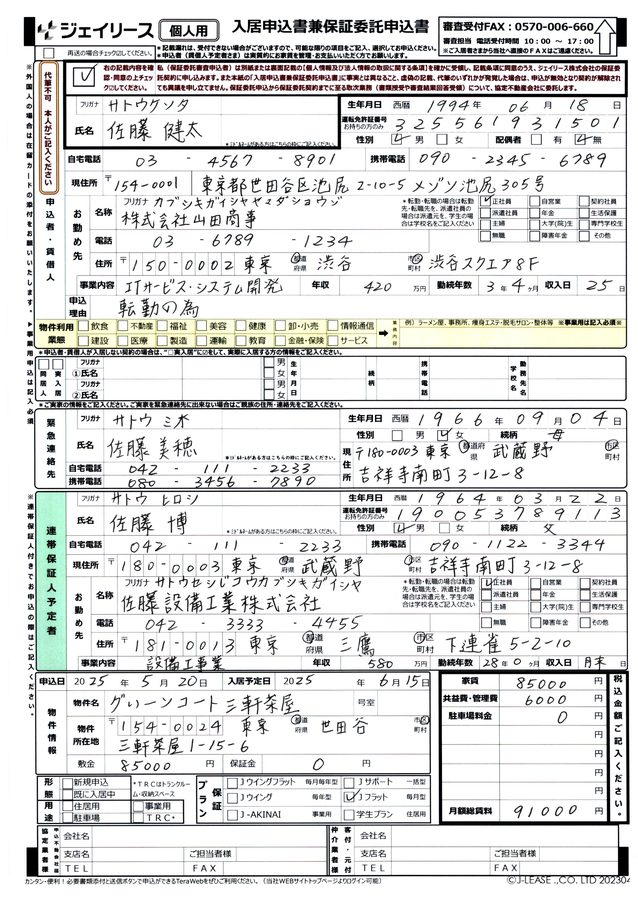
Handwritten Forms
Extract key information from forms that combine printed labels and handwritten entries.

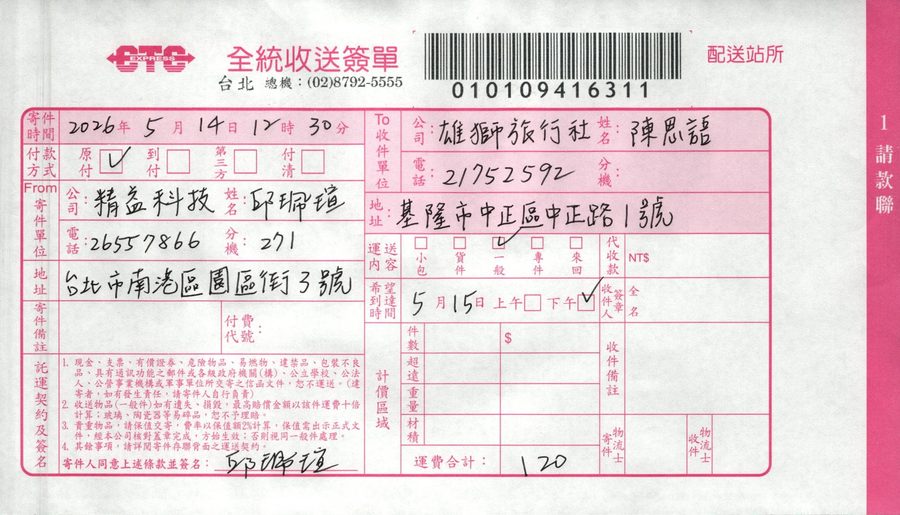
Delivery Notes
Read delivery details, barcode values, sender information, and handwritten notes from logistics documents.

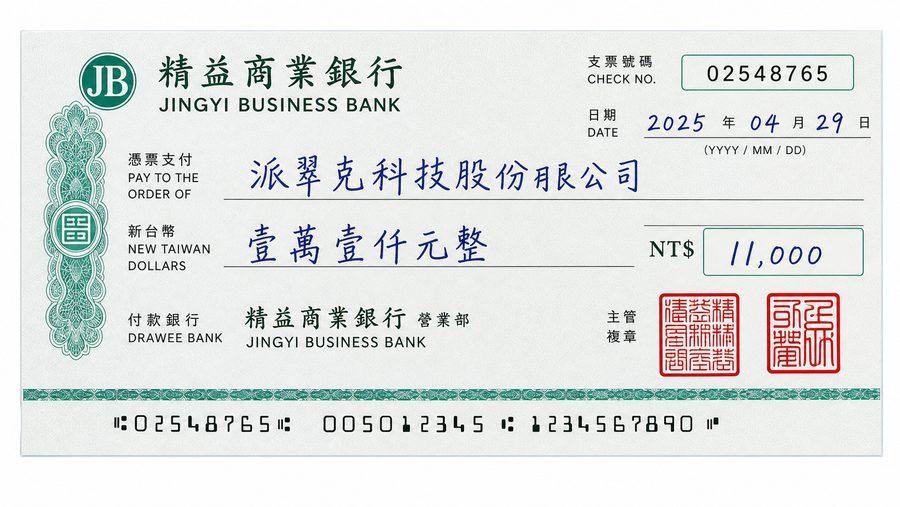
Check
Capture cheque information such as amount, date, payee, and reference numbers for review.

Invoice
Extract invoice numbers, dates, line items, totals, and payment-related fields from accounting documents.

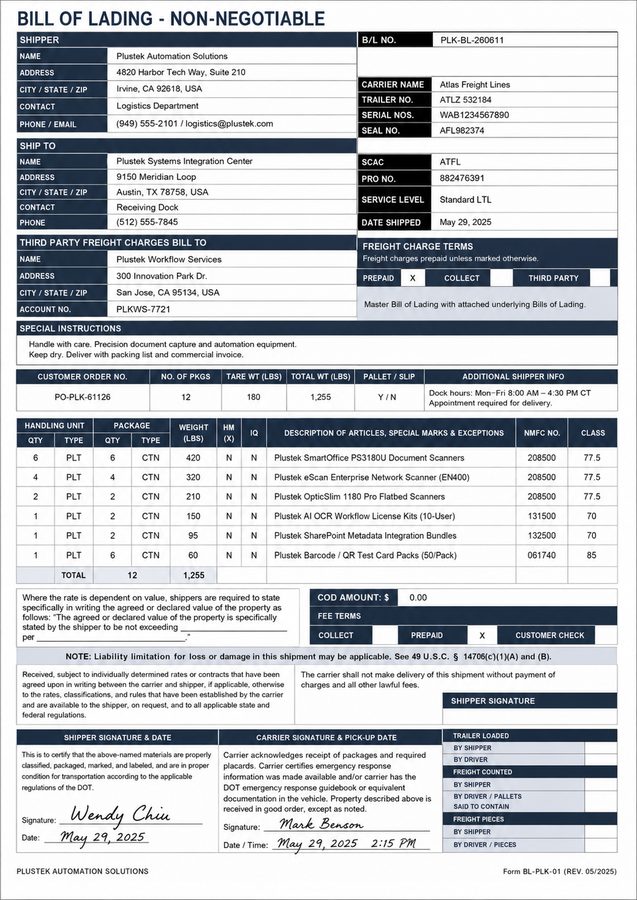
Bill of Lading
Identify shipment references, carrier details, serial numbers, and logistics fields from freight documents.

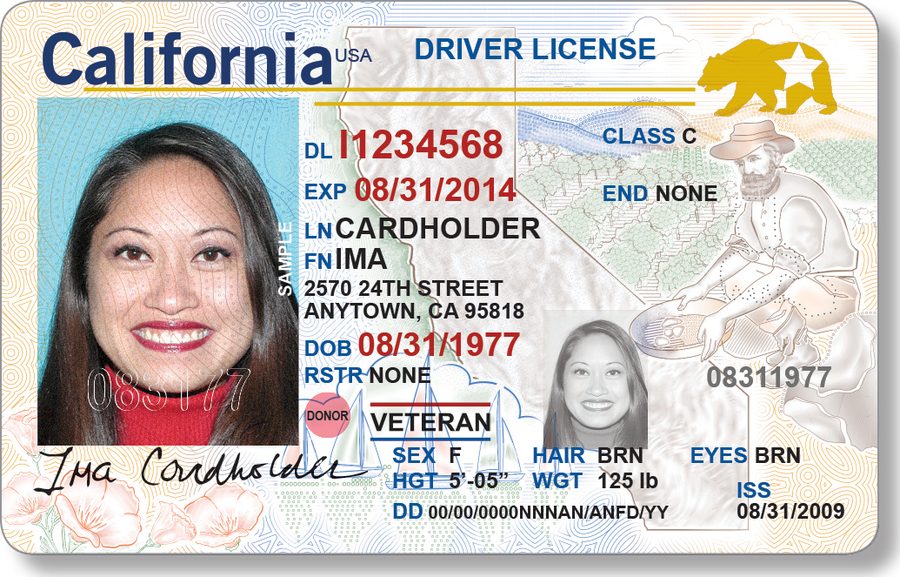
Identification Document
Capture selected ID fields such as document number, expiry date, name, and date of birth for structured data entry.

It reads the page - then hands you structured data
Plustek AI looks at the whole document, finds the fields you care about, and turns them into data you can check and use. Results stay reviewable before anything moves on.
- Recognizes printed and handwritten content
- Locates the fields that matter on the page
- Extracts only the information you need
- Produces clean, structured, reviewable results
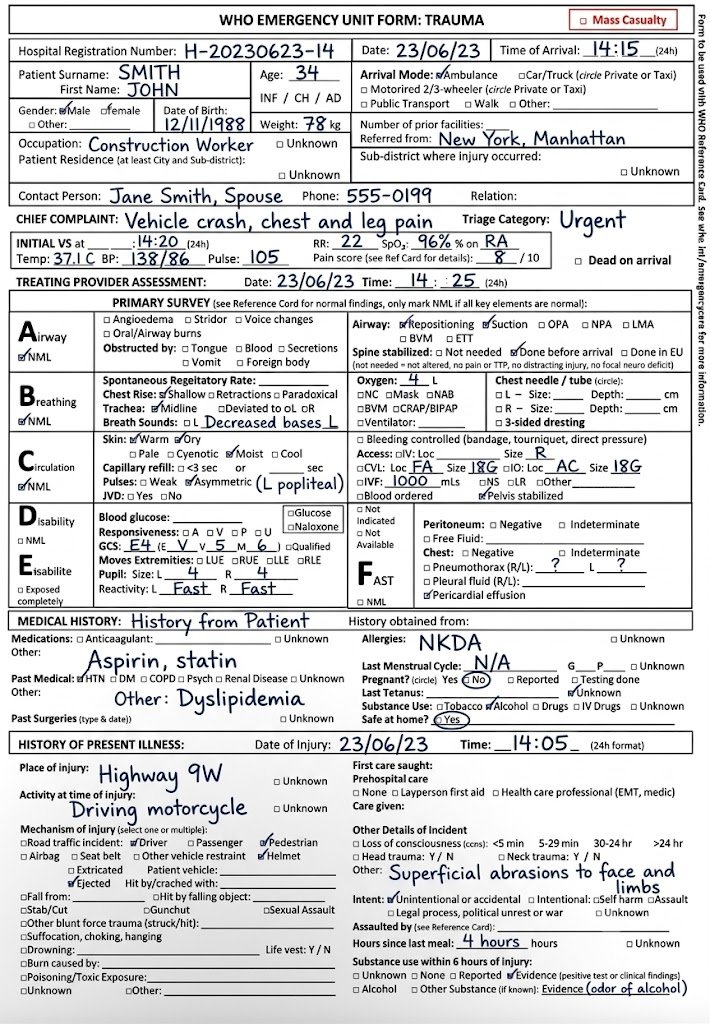 Patient Pulse Triage Blood pressure Date
{
"form_type": "Trauma intake form",
"patient": "John Smith",
"triage": "Urgent",
"blood_pressure": "138/86",
"pulse": 105
}Six layers, one clean result
Capture
Print and handwriting, in any layout.
Locate
Finds the fields that matter.
Extract
Pulls only what you need.
Review
Confidence-flagged, human-checkable.
Organize
Names and classifies each file.
Deliver
Into your systems via RPA.
Extracted fields become file names and folders
The data Plustek AI reads - customer, document number, date, document type - turns into meaningful file names and the right folder, ready for archiving. Naming rules are yours to define.
Recognition isn't the end - the data keeps moving
Most OCR stops at recognition. Your data still has a journey.
Extracted information doesn't stop at the recognition screen. Plustek AI prepares it as files and system-ready data, handed off to the workflows you already run.
Output is prepared for your environment. Data is delivered into ERP systems such as SAP and 鼎新 (Digiwin) through RPA - no API project required. API and SDK options are available for developers; specific systems and live integrations are confirmed per project.
Explore Connect to Your Dataoutput
Packaged and structured
Fields are standardized and organized.
Routed and formatted
Data is prepared in the right format.
Delivered to where it’s needed
Send to files, systems, or workflows.
Keep your tools
Works with the systems you already use.
Built to be trusted in production
Reviewable results
Every field stays reviewable and confidence-flagged before anything moves on - nothing is written blindly.
Runs on your premises
Deploy on-premise as an AI Box - documents and extracted data never have to leave your network.
No API project needed
Data reaches your ERP and systems through RPA - no integration project, and no changes to your ERP.
Scanning and organizing, in one pass
Plustek builds the scanner and the AI - so capture, recognition and filing run as one automated flow, not a stack of stitched-together tools.
- Drives Plustek and mainstream scanners directly - no separate scanner app
- Multiple image-enhancement steps built in
- Automation tuned to your document types
- Hardware-accelerated, real-time processing
- Recognized results flow straight into the extraction pipeline
- True one-click filing into your systems
The same workflow, deployed your way
The document AI workflow shown above can run on an enterprise-grade server or inside your own environment - chosen around your setup and data requirements.
Enterprise-Grade Server
Plustek's managed platform, always running the best recognition engine.
- Faster setup
- Flexible processing capacity
- API, project & usage dashboard
- Centralized maintenance & updates
- RPA delivery into ERP / DMS - no API project required
On-Premise AI Box
A Plustek-prepared AI solution that runs inside your own network.
- Processing runs in your environment
- No external AI service required
- Documents can stay inside your network
- Results sent straight to internal systems
Keep everything inside your network
AI Box isn't a generic appliance or a standard offline OCR product. Plustek prepares an AI solution based on your documents and workflow, then deploys it through an AI Box or within your own server - so document processing runs inside your network.
- AI processing runs within your own environment
- No external AI service needed to process documents
- Documents and extracted data can stay on-site
- May include recognition, extraction, naming, classification and output
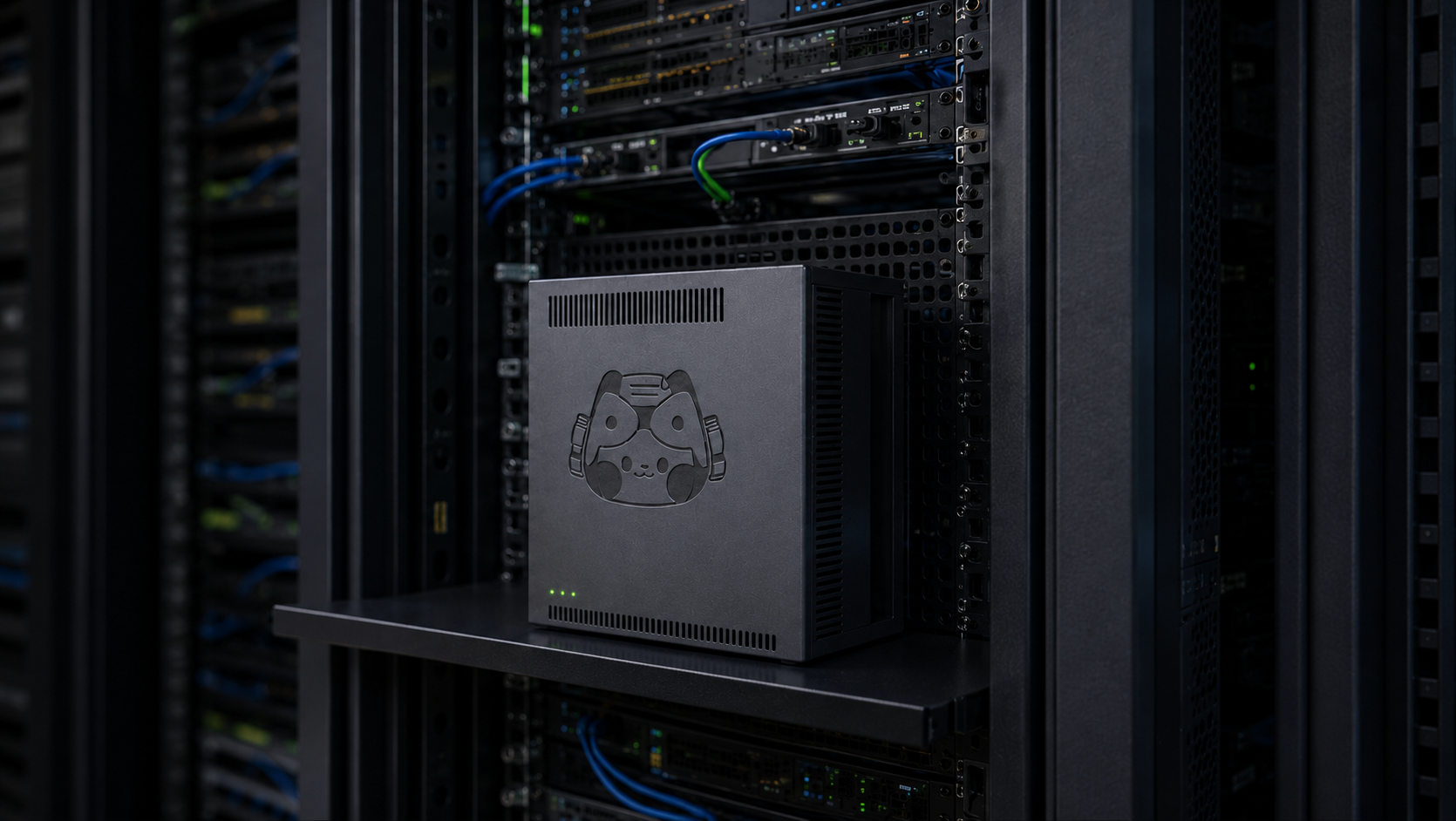 Deployed on your server
Real workflows we've automated
Documents in, structured data straight into the systems teams already run.
Heterogeneous vendor documents, auto-filled into Lingyue ERP
Purchase-order data entry, automated end to end
Try it on a prepared document
See a document get read and structured, right in your browser - no install, no sign-up. Want it on your own documents? That's the free test.
See it live in your browser
Watch a document get read, named and structured - nothing to install.
Open the Online DemoSee Plustek AI on your own documents
Send us a document and we'll run it through - you'll see exactly what comes out. We can review the fields, naming, classification, output format and deployment with you.